If you’ve ever tuned into a morning talk show, a live sports broadcast, or even a tight, crisp podcast that makes you feel like you’re in the room with the hosts, you’ve probably taken for granted all the random, essential gear that’s hidden behind the cameras, mics, and mixing boards. As a supporting equipment supplier, I get to hang out in broadcast studios every week, helping teams figure out what they actually need (and what’s just overkill) to make their content feel polished, not jumbled. Let’s break down the stuff that doesn’t get all the fanfare, but makes every broadcast go off without a hitch—no glitches, no muffled audio, no cameras cutting out mid-sentence. Supporting Equipment
First up, audio support, because if your broadcast’s audio is garbage, nobody cares how good your video is. I’ve seen so many small studios skip over the small audio gear that actually keeps mics working, and it’s wild how often that’s the first thing that breaks. Let’s start with the unsung hero: mic stands. Wait, not just any mic stands—we’re talking different flavors for different jobs. A smooth, adjustable boom stand isn’t just for holding a mic over a host’s mouth; there are mini desktop ones for podcasters who don’t have a lot of space, and heavy-duty floor stands for field reporters who’re moving around a stage. A lot of people don’t realize that cheap, flimsy stands will wiggle mid-broadcast, leading to that annoying low rumble that makes viewers hit mute. We stock stands with rubberized feet too, so even if a producer knocks into them last minute, they don’t slide across the floor.
Then there’s all the stuff that connects the mics to the mixing board—cables, adapters, and splitters. I can’t tell you how many times a studio has run out of XLR cables right before a live hit, or grabbed a random adapter that doesn’t fit their laptop. We keep a huge stock of these, in different lengths, because a 10-foot cable isn’t enough if a host is standing near a monitor, but a 25-footer is just a tangled mess if they’re fixed to a desk. Splitters are another big one—they let you split one mic signal to go to both the mixing board and a backup recorder, which is non-negotiable for live broadcasts. Nothing kills credibility like a dead audio feed because the only recorder died mid-show. Cables also need to be durable, by the way. We use reinforced jackets on all our studio cables because they get stepped on, pulled, and dragged around all day—no fraying, no static.
Next, video support, because cameras are only half the battle. People think you just point a camera and go, but there’s so much gear that keeps footage sharp and synced. Let’s talk about monitor arms first. Small studios often mount their cameras on flimsy tripods that wiggle, but monitor arms for studio cameras are adjustable, so you can tweak the angle without resetting the whole setup. For control rooms, there are multi-monitor mounts that let producers watch 4 different camera feeds, the audio levels, and the broadcast timer all at once—no more craning necks or missing a key cue. We also do rigging hardware for larger studios, like ceiling-mounted camera rails that let cameras glide across a set for wide shots without a steady cam operator. That stuff’s a game-changer for live variety shows.
Then there’s the signal distribution gear. SDI splitters and converters are the backbone here. A single camera feeds multiple places: the control room’s switcher, the on-air monitor, and maybe a backup recorder. Splitters take one video feed and split it to multiple destinations, so you don’t have to run a separate cable for each. Converters are super important too, because not all cameras or monitors use the same signal type. Some old-school studios still use analog, while new ones run digital 4K. Having converters on hand means you don’t have to replace your entire camera setup just to add a new monitor or switcher. I always tell clients: better to have a few extra converters in stock than to scramble for them mid-live break.
Now, power and infrastructure—this is the stuff most people don’t think about until the power goes out. Or, more specifically, until a mic or camera dies because it’s plugged into a flimsy power strip. Studio power isn’t just about plugging in; it’s about clean, reliable power that doesn’t cause interference. We stock heavy-duty power distribution units (PDUs) for control rooms, which have surge protection, so if a lightbulb blows or the HVAC kicks on, it doesn’t fry your mixing board or camera. For live remote broadcasts, we even have portable power stations that are compact enough to haul in a van, so you don’t have to rely on sketchy venue outlets. Surge protectors are non-negotiable too— I’ve seen a whole studio’s audio gear get ruined when a lightning storm hit, just because they used a cheap power strip without surge protection. It’s a preventable mistake, and we make sure our clients never have to deal with that.
Then there’s all the little stuff that adds up to a smooth workflow, like cue systems. Cue lights are those red or green lights on camera that tell the talent when they’re on air or when they’re about to start. They seem simple, but you need ones that are bright enough to see from across the set, and durable enough to be moved around. We also talkback systems, which are basically little headsets that let producers in the control room talk to talent or reporters on set without the viewers hearing. For multi-person shows, wireless talkback systems are way better than wired ones, because talent can move around without getting tangled. I worked with a small morning show last year that was using old wired headsets, and their reporter tripped over a cord mid-live report—total panic. Swapping them to wireless talkback fixed that right away.
Wait, also, what about mounting and rigging for accessories? Like mic windshields and pop filters, right? Those are small, but they make audio sound way better. Windshields cut down on wind noise if someone’s reporting outside, and pop filters stop plosives (that “p” and “b” sound that makes audio sound boomy). A lot of new studios skip these, but they’re a cheap upgrade that makes a huge difference. We stock them in different sizes for every type of mic, so clients don’t have to hunt for the right fit. Also, cable management clips—those little sticky or clip-on things that keep cables from running across the floor, where people trip on them or get stepped on. It’s a tiny thing, but it eliminates so many avoidable accidents.
Let me talk about a recent project that shows why this gear matters. A local sports station reached out to me a couple months ago, because they were having constant glitches during their weekend game broadcasts. Turns out, their old splitter was flaking, so their on-air feed cut out every time they switched to the sideline reporter. We swapped their old splitter for a heavy-duty 4K SDI splitter, replaced their worn XLR cables with longer, reinforced ones for the sideline, and added a few extra surge protectors for their control room mixers. The next game, they didn’t have a single feed drop. They were so happy, they ordered a bunch of extra gear to keep in their on-site van for remote games. That’s the stuff I love—solving real, everyday problems that make broadcasters’ jobs easier, not just selling them fancy gear they don’t need.
I also make a point to not push overkill on small studios. A lot of new podcasters or independent creators see big studio setups and think they need a $10,000 mixing board, but really, they just need a good mic stand, a few solid cables, and a basic power distribution unit. I work with a lot of one-person shows, and I always tailor the gear to their specific needs, not a one-size-fits-all package. For example, a podcaster who records from their home office just needs a compact desktop mic stand and a couple of short XLR cables, while a community radio station needs heavy-duty floor stands and durable splitters that can handle daily use.
Another big thing is backup gear. No broadcast is 100% glitch-free, but good supporting equipment makes it way less stressful. We always recommend that studios have at least one backup mic, one backup cable, and a spare monitor—stuff that’s easy to grab if something breaks last minute. I once had a client who was doing a live interview, and their main mic went dead 2 minutes before air. They had a backup mic we’d sold them a month earlier, so they swapped it in, no panic, no delay. That’s the value of good supporting equipment—it’s there when you need it, and you don’t even think about it until you do.
Now, if you’re a studio manager, a freelance broadcaster, or even a small business just starting to do live streams or webinars, you probably have questions about what gear you actually need, and what’s worth investing in. We don’t do pushy sales tactics here—we just help you figure out what will work for your setup, your budget, and your daily workflow. Whether you need a single XLR cable, a full set of studio monitors, or even a portable power station for remote broadcasts, we’ve got you covered. There’s no such thing as a “stupid question” when it comes to broadcast gear—even asking if you need a surge protector can save you a huge headache down the line.

At the end of the day, broadcast content is about the talent, the stories, and the work of the people on air and behind the scenes. The supporting equipment doesn’t get the credit, but it’s the backbone that makes all that work possible. I’ve been in this game long enough to know that a good cable or a solid stand can make a huge difference between a smooth broadcast and a total mess. If you’re setting up a new studio, upgrading your existing gear, or just need to stock up on essentials, reach out and let’s chat. We’ll hook you up with exactly what you need, no extra fluff, no hidden costs.
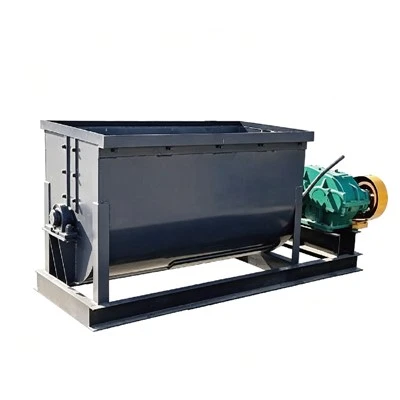
Low-temperature Compatible Organic Waste Fermentation Tank Reference:
- Pro Broadcast & Media Technology Association. (2022). Essential Supporting Equipment for Live Broadcast Studios. Industry Technical Report.
- National Association of Broadcasters (NAB). (2021). Small Studio Gear Guide: Practical Solutions for Independent Content Creators. Consumer Advisory.
- Audio Engineering Society (AES). (2020). Best Practices for Studio Cable Management and Signal Distribution. Technical Brief.
Shandong Heze Sanyi Biological Engineering Co., Ltd.
Shandong Heze Sanyi Biological Engineering Co., Ltd. is one of the most reliable supporting equipment manufacturers and suppliers in China, also supports customized service. We warmly welcome you to buy CE approved supporting equipment made in China here from our factory.
Address: No.1118 Lanzhou Road, High-tech Zone, Heze City.
E-mail: business@hzsysam.com
WebSite: https://www.hzsysam.com/
