Hey there, fellow printing enthusiasts! As a supplier of flatbed printers, I’ve seen my fair share of issues, and one of the most common problems that users face is ink clogging. It can be a real pain in the neck, but don’t worry, I’m here to help you troubleshoot this annoying issue. Flatbed Printer

Understanding Ink Clogging
First things first, let’s understand what causes ink clogging in a flatbed printer. There are several factors that can lead to this problem.
Drying Ink
Ink can dry up inside the print heads if the printer is not used for an extended period. This is especially common with pigment-based inks, which tend to dry faster than dye-based inks. When the ink dries, it forms a crust that blocks the nozzles, preventing the ink from flowing properly.
Contaminated Ink
Sometimes, the ink itself can be contaminated with dust, debris, or other particles. These contaminants can clog the nozzles and cause printing problems. This can happen if the ink cartridges are not stored properly or if the printer is used in a dirty environment.
Air Bubbles
Air bubbles can also cause ink clogging. When air gets into the ink lines, it can create a blockage and prevent the ink from flowing. This can happen if the printer is not primed correctly or if there is a leak in the ink system.
Incorrect Ink Viscosity
The viscosity of the ink is also important. If the ink is too thick, it can clog the nozzles. On the other hand, if the ink is too thin, it may not adhere properly to the printing surface. The viscosity of the ink can be affected by factors such as temperature and humidity.
Troubleshooting Ink Clogging
Now that we understand what causes ink clogging, let’s look at some ways to troubleshoot this problem.
Run a Print Head Cleaning Cycle
Most flatbed printers have a built-in print head cleaning function. This function uses a small amount of ink to flush out any clogs in the print heads. To run a print head cleaning cycle, follow these steps:
- Open the printer software on your computer.
- Look for the maintenance or cleaning section in the software.
- Select the print head cleaning option and follow the on-screen instructions.
Running a print head cleaning cycle can often clear minor clogs. However, if the clog is severe, you may need to repeat the cleaning cycle several times.
Use a Cleaning Solution
If the print head cleaning cycle doesn’t work, you can try using a cleaning solution. There are several cleaning solutions available on the market specifically designed for cleaning print heads. To use a cleaning solution, follow these steps:
- Remove the print heads from the printer.
- Soak the print heads in the cleaning solution for the recommended amount of time.
- Rinse the print heads thoroughly with water.
- Dry the print heads with a clean, lint-free cloth.
- Reinstall the print heads in the printer.
Make sure to follow the instructions on the cleaning solution carefully. Some cleaning solutions can be harsh and may damage the print heads if used incorrectly.
Check the Ink Cartridges
Sometimes, the problem may not be with the print heads but with the ink cartridges. Make sure the ink cartridges are properly installed and that they are not empty. If the ink cartridges are low on ink, replace them with new ones.
Check for Air Bubbles
If you suspect that air bubbles are causing the ink clogging, you can try to remove them. To do this, you can gently squeeze the ink lines to force the air bubbles out. You can also try priming the printer again to ensure that the ink is flowing properly.
Clean the Printer
It’s also important to keep the printer clean. Dust and debris can accumulate inside the printer and cause ink clogging. Use a soft, dry cloth to clean the printer regularly. Make sure to clean the print heads, ink lines, and other parts of the printer.
Preventing Ink Clogging
Preventing ink clogging is always better than having to troubleshoot it. Here are some tips to help you prevent ink clogging in your flatbed printer:
Use High-Quality Ink
Using high-quality ink is essential for preventing ink clogging. Low-quality ink may contain contaminants that can clog the nozzles. Make sure to use ink that is specifically designed for your flatbed printer.
Keep the Printer in a Clean Environment
Dust and debris can easily get into the printer and cause ink clogging. Keep the printer in a clean, dust-free environment. You can also use a printer cover to protect the printer when it’s not in use.
Use the Printer Regularly
If you don’t use the printer for an extended period, the ink can dry up inside the print heads. Make sure to use the printer regularly to keep the ink flowing. If you’re not going to use the printer for a long time, you can run a print head cleaning cycle before storing the printer.
Store the Ink Cartridges Properly
Proper storage of the ink cartridges is also important. Make sure to store the ink cartridges in a cool, dry place. Avoid exposing the ink cartridges to direct sunlight or extreme temperatures.
Conclusion
Ink clogging is a common problem in flatbed printers, but it can be easily troubleshooted and prevented. By following the tips and techniques outlined in this blog post, you can keep your flatbed printer running smoothly and avoid ink clogging issues.
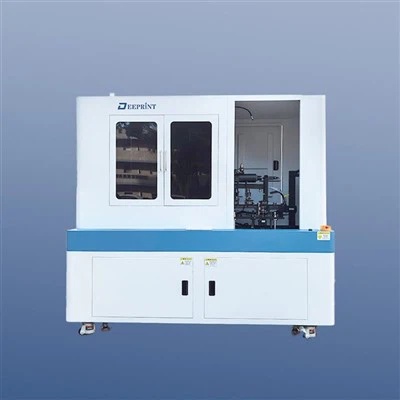
If you’re experiencing ink clogging or any other printing problems, don’t hesitate to reach out to us. As a flatbed printer supplier, we have the expertise and experience to help you solve any printing issues you may have. We offer a wide range of flatbed printers and printing supplies, and we’re always here to provide you with the best customer service.
Flatbed Printer So, if you’re in the market for a new flatbed printer or need help with your existing printer, contact us today to start a procurement discussion. We look forward to hearing from you!
References
- "Flatbed Printer Maintenance Guide," Manufacturer’s Manual
- "Inkjet Printing Technology," Printing Industry Journal
Shenzhen Deeprint Technology Co., Ltd.
As one of the most professional flatbed printer manufacturers and suppliers in China, we’re featured by quality products and good service. Please rest assured to buy customized flatbed printer made in China here from our factory. Contact us for free sample.
Address: 6-1, Huangwu Road, Tongle Community, Baolong Street, Longgang District, Shenzhen City 518100,China.
E-mail: ellen@uvdprint.com
WebSite: https://www.uvd-print.com/
